Compose & sequence
Create melodies, chords and drum patterns with the Piano Roll, Channel Rack and JDS Composer.
 INDIE TAMIL
ITMP ORIGINAL PRODUCTEARLY ACCESS
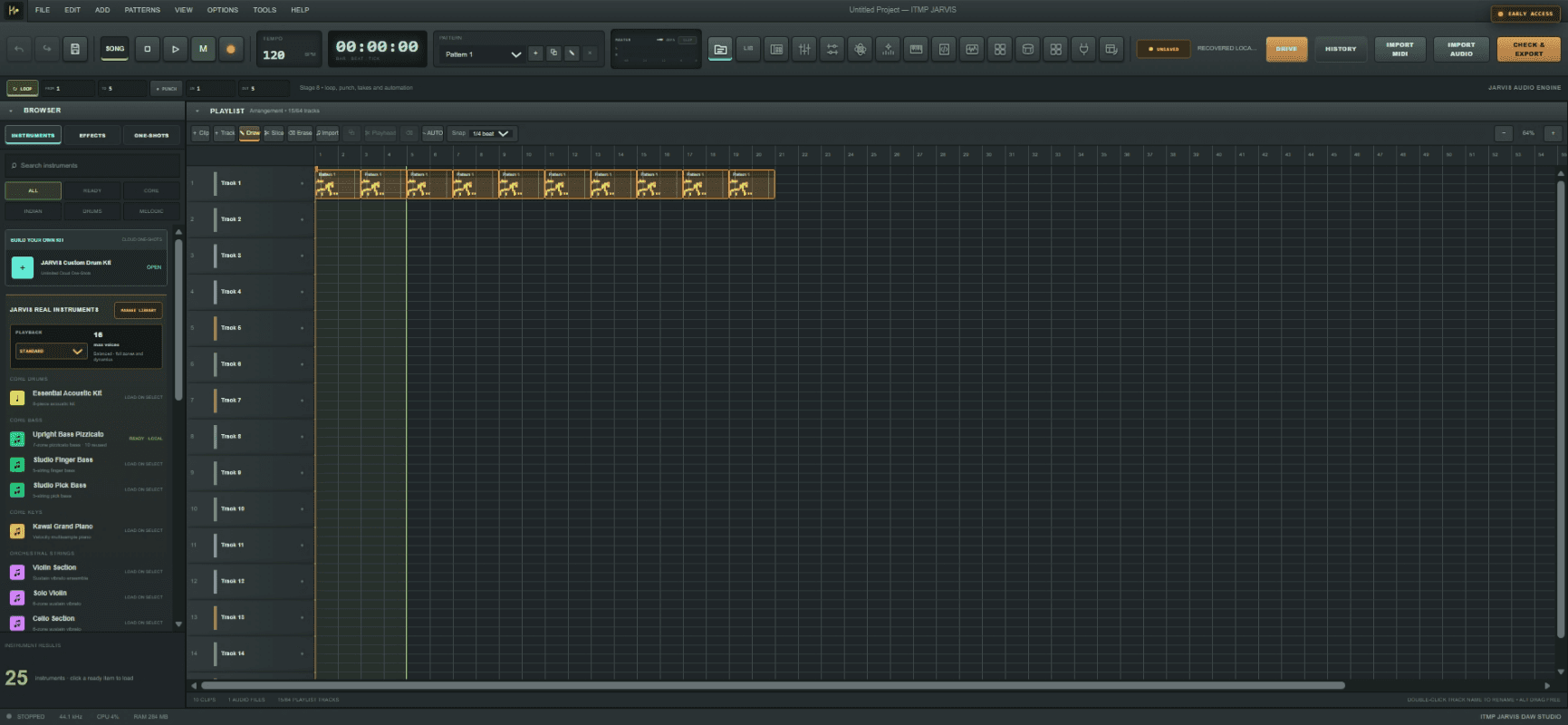
JARVIS DAW Studio is ITMP's browser-based music workspace for turning an idea into patterns, performances, arrangements and export-ready audio.
01 / Why JARVIS
JARVIS keeps composition, arrangement, instrument control, automation and export connected to the same project data. A note written through JDS can appear in the Piano Roll and continue through playback, MIDI and WAV workflows.
02 / Make music
Core tools are organized around the way independent artists actually build a track.
Create melodies, chords and drum patterns with the Piano Roll, Channel Rack and JDS Composer.
Control volume, pan, expression, tone and reverb with automation that follows the song timeline.
Use MIDI notes, sustain, modulation and expression to make supported instruments feel more responsive.
Check the project, render a WAV file and export MIDI through the same JARVIS project workflow.
03 / The workspace
Move from rhythm to melody, arrangement and mix without leaving the studio shell.
Build rhythmic and melodic patterns with a familiar step-sequencing workflow.
Write and edit notes, timing, length and velocity for melodic instruments.
Arrange patterns and musical sections across the complete song timeline.
Balance tracks, shape tone and route effects with visual level feedback.
04 / JDS Composer V2
JDS is JARVIS's native music language. Its readable commands compile into the existing Piano Roll note model, keeping code, visual editing, playback and export connected.
play: {pat1=vol80[c5/0.5s]_[e5/0.5s]_[g5/1s]}
      {pat1(rep/3ts)}
rep/3ts adds three repetitions after the original pattern.
05 / Instrument engine
The current JARVIS library organizes 152 WAV samples into 10 playable instrument packs. Performance controls and quality profiles help the same instrument adapt across capable and lower-powered devices.
06 / Project flow
07 / Questions
JARVIS is ITMP's browser-based digital audio workstation for composing, arranging, controlling instruments, mixing and exporting music.
The Early Access web studio runs in a modern browser. A reliable connection is required for sign-in and cloud-based project features.
The current library contains 10 instrument packs built from 152 curated WAV samples, including Indian-instrument content developed for JARVIS.
Yes. JARVIS supports MIDI note input and control feedback including modulation, expression and sustain.
Projects can use the existing WAV-render and MIDI-export paths. Export availability can depend on the current Early Access feature state.
JDS is JARVIS's native music scripting system. It turns readable note and pattern commands into the same musical data used by the Piano Roll.
JARVIS DAW STUDIO · EARLY ACCESS
Explore the current Early Access build, test the workflow and help ITMP shape what comes next.
Open JARVIS Early Access ↗